Payments, products and invoicing
Appointment payments with a VeriFactu receipt or invoice, from the calendar
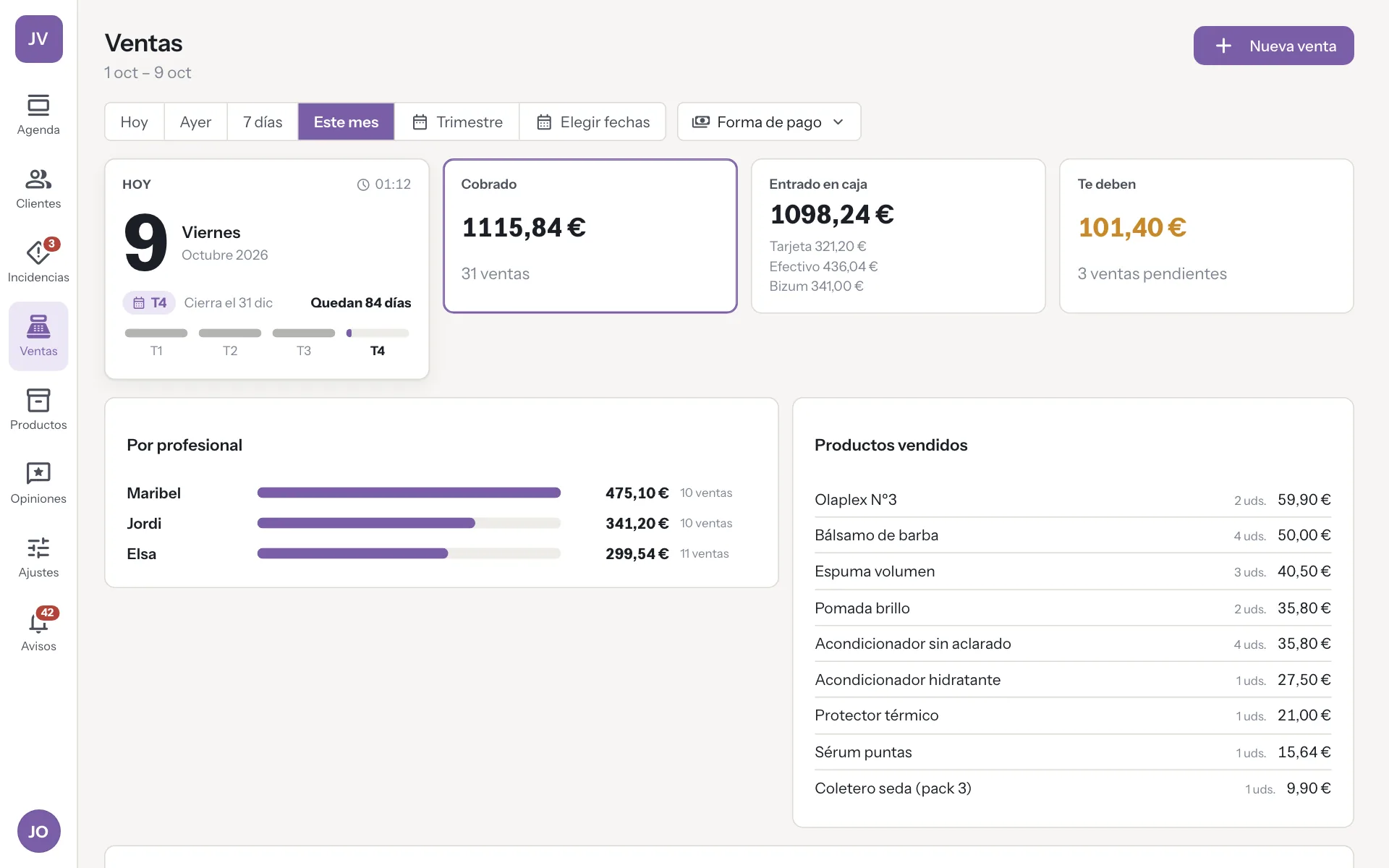
When the appointment ends, you charge it in one tap with the services already in. Add products, choose cash, card or Bizum, and issue the receipt or invoice with VeriFactu through Bilteo.
Try it free for 14 daysSee prices
No card · No commitment
Welcome offer: 9,95 € a month for your first 2 months if you subscribe during the trial. Until November 15.
How it works
-
Appointment done
The sale opens with the appointment's services and prices.
-
Add and charge
Products, discounts and the payment method, even split payments.
-
Receipt or invoice
Bilteo issues the document with VeriFactu and it is kept with the sale.
A real case
The last payment of the day
It's 20:00 and Joan finishes his appointment, which had two services. You open the sale and both are already there with their price. You add a product, Joan pays part in cash and part with Bizum, and asks for an invoice with his tax ID. You choose “Invoice” and Bilteo issues it with VeriFactu. It stays saved in the sale with its submission status to the tax office.
Paid and declared, without typing anything twice.
A till and a receipt book versus payment from the appointment
-
Entering the services
Without DameHoraYou check what was done and key each service into the till.
With DameHoraThe sale opens with the appointment's services and prices.
-
Paying two ways
Without DameHoraPart in cash, part by Bizum and two entries that never add up later.
With DameHoraOne payment with several methods, and the change for the cash already worked out.
-
Asking for an invoice
Without DameHoraYou fill in the customer's details and the invoice number by hand.
With DameHoraYou choose invoice and Bilteo issues it with VeriFactu, using the details on their record.
-
A refund
Without DameHoraYou take money out of the till and note it down wherever you can.
With DameHoraThe refund comes from the sale itself, with its corrective invoice if there was a receipt or invoice.
-
Closing the till
Without DameHoraYou count, subtract in your head and the difference has no explanation.
With DameHoraYou count the cash without seeing the expected total and DameHora tells you how much is short or over.
What you gain
Mixed payments
Cash, card and Bizum in the same payment, or leave it pending for another day.
Products with stock
Sell products with their price and VAT, and they come off the stock.
Receipt or invoice
With Bilteo, every payment comes out with its receipt. A full invoice when the customer gives their details, or by converting the receipt later.
VeriFactu in plain sight
See whether the tax office has received each document. If something fails, it lets you know.
For your sector
- Software for hair salons
- Software for barbershops
- Software for nail salons
- Software for beauty salons
- Software for hair removal centres
- Software for brow and lash studios
- Software for make-up studios
- Software for micropigmentation centres
- Software for dog grooming salons
- Software for massage centres
- Software for tattoo studios
- Software for piercing studios
- Software for photography studios
- Software for tailors
- Software for bridal shops
- Software for image consultancies
- Software for accountancy firms
- Software for law firms
- Software for phone repair shops
Frequently asked questions
Is DameHora a POS?
No. It records the appointment's payment, refunds and the cash close. Legal invoicing is done by Bilteo, which you connect with your account.
Is Bilteo included in the price?
No. Bilteo is subscribed separately. DameHora connects to your account.
Can I take payments without Bilteo?
Yes. The payment is recorded in DameHora, with refunds and the cash close, but with no receipt or invoice to hand over.
Can I try it without issuing real documents?
Yes. Connected to a Bilteo test company, payments are test payments and do not count in Sales.
Can I give discounts?
Yes. On each line, as a percentage or in euros. The receipt or invoice shows the discount applied.
More features
The app you use now costs you too much. And you know it, and so do we!
At 9,95 € a month, with 3 professionals included and better features, you can save a lot of money, don't you think?