Front desk mode
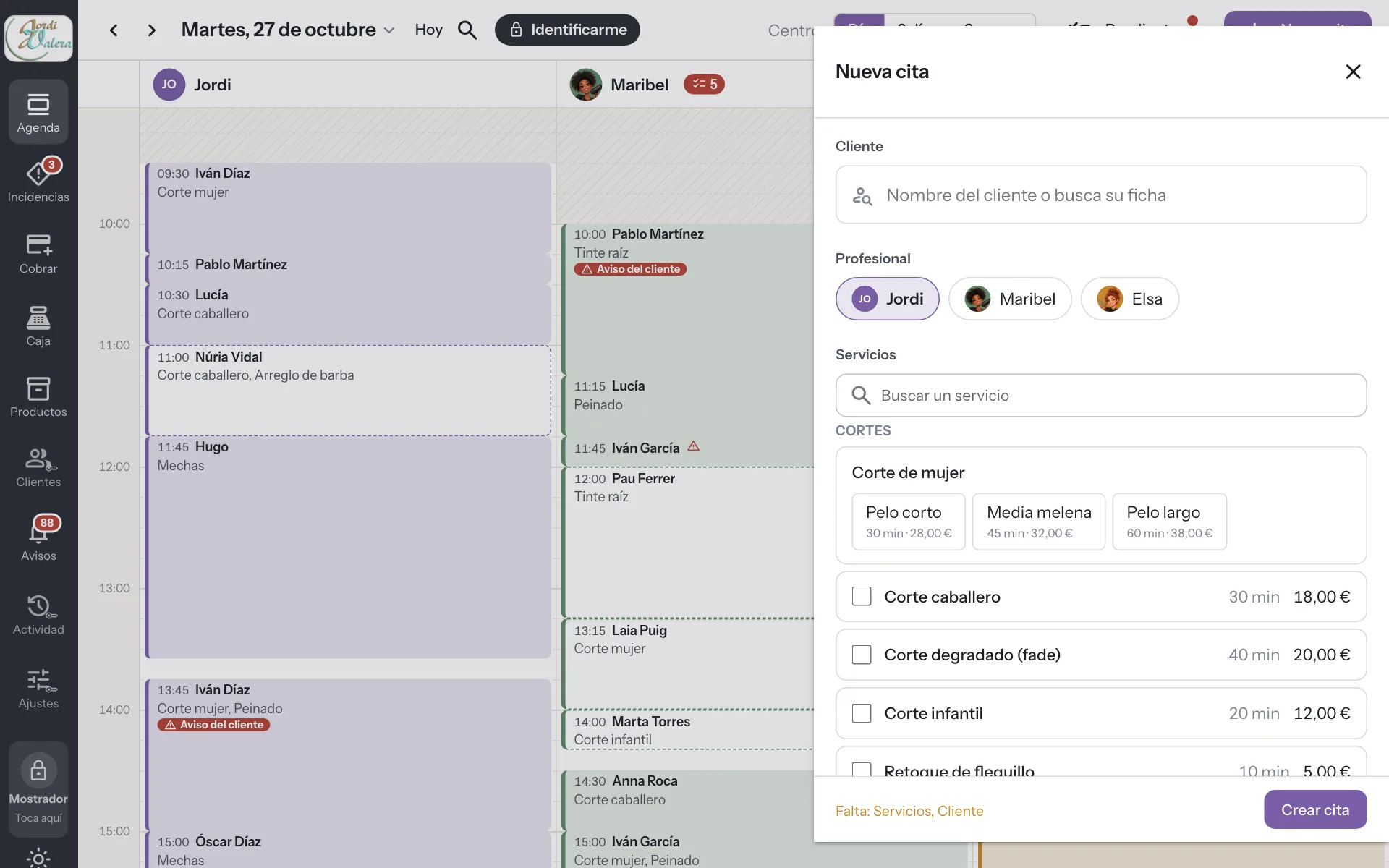
Front desk mode, an iPad at reception with a PIN per person
An iPad or tablet at the front desk with the calendar always open. Anyone can look, and every change asks for the PIN of whoever makes it, so you know who moved each appointment.
Try it free for 14 daysSee prices
No card · No commitment
Welcome offer: 9,95 € a month for your first 2 months if you subscribe during the trial. Until November 15.
How it works
-
Open the front desk
From your account, turn the tablet into the business's front desk.
-
A PIN per person
Everyone has their own four-digit PIN. When you save, the PIN tells it who you are.
-
Everything is recorded
Every change carries the name of whoever made it.
A real case
Three people and a single iPad
There is an iPad at the front desk with the day's calendar open. Someone walks in without an appointment. Elsa taps “New appointment”, types her PIN and books them into her free slot. Ten minutes later, Maribel moves another appointment with her own PIN. At closing time, every change of the day carries the name of whoever made it.
One shared agenda and nobody uses someone else's account.
A shared login versus front desk mode
-
Who booked this appointment
Without DameHoraEveryone uses the same account and nobody knows who made each change.
With DameHoraEvery change carries the name of whoever entered their PIN.
-
Logging in every time
Without DameHoraPasswords on a sticky note next to the screen.
With DameHoraFour digits when you save and the app knows who you are.
-
Someone leaves without logging out
Without DameHoraThe session stays open for the next person.
With DameHoraAfter two minutes without a touch it locks itself and keeps whatever was half done.
-
Sensitive data
Without DameHoraAnyone passing the front desk sees totals and customer details.
With DameHoraWithout a PIN only the diary shows. Customers, settings and totals ask for a manager's master PIN.
-
If the tablet goes missing
Without DameHoraYou change passwords in a rush.
With DameHoraYou close it remotely from the computer.
What you gain
Always open
The day's agenda in view, without signing in every time.
Every change has a name
The PIN identifies who creates, moves or charges.
No data on show
Customers, settings and totals ask for the master PIN. The subscription and permissions, never from the front desk.
Per location
Each front desk only sees the locations you assign to it.
For your sector
- Software for hair salons
- Software for barbershops
- Software for nail salons
- Software for beauty salons
- Software for hair removal centres
- Software for brow and lash studios
- Software for make-up studios
- Software for micropigmentation centres
- Software for dog grooming salons
- Software for massage centres
- Software for tattoo studios
- Software for piercing studios
- Software for photography studios
- Software for tailors
- Software for bridal shops
- Software for image consultancies
- Software for accountancy firms
- Software for law firms
- Software for phone repair shops
Frequently asked questions
Can anyone see billing data from the front desk?
Not without a PIN. The diary shows without notes, payments or customer details. Totals ask for the master PIN of an owner or manager.
What if someone forgets their PIN?
They create a new one from their account. The owner can also set it from Settings.
Do I need an iPad?
No. Any tablet or computer with a browser will do.
How many front desks can I have?
As many as you need, for example one at each location.
What if someone tries random PINs?
After five failed attempts, the front desk blocks identification for fifteen minutes and alerts the managers. The diary stays visible.
Can a manager see the totals from the front desk?
Yes. With their six-digit master PIN they open Management: totals, customers, settings and activity. It closes by itself after two minutes without a touch.
More features
The app you use now costs you too much. And you know it, and so do we!
At 9,95 € a month, with 3 professionals included and better features, you can save a lot of money, don't you think?